Managing Packages
How to deploy and manage Daml Archive (DAR) packages on your participant nodes.
Table of contents
What Are DAR Packages?
A DAR (Daml Archive) file is a compiled Daml application package. It contains your smart contract templates, data types, and logic. To run a Daml application on the Canton Network, you need to deploy its DAR file to a participant node.
Uploading a DAR File
- Navigate to Collections in the sidebar
- Click Upload DAR
- Select the target participant node from the dropdown
- Choose your
.darfile - Click Upload
The Console validates the package and deploys it to the selected participant node. You’ll see a success notification when the upload completes, or an error message if something goes wrong.
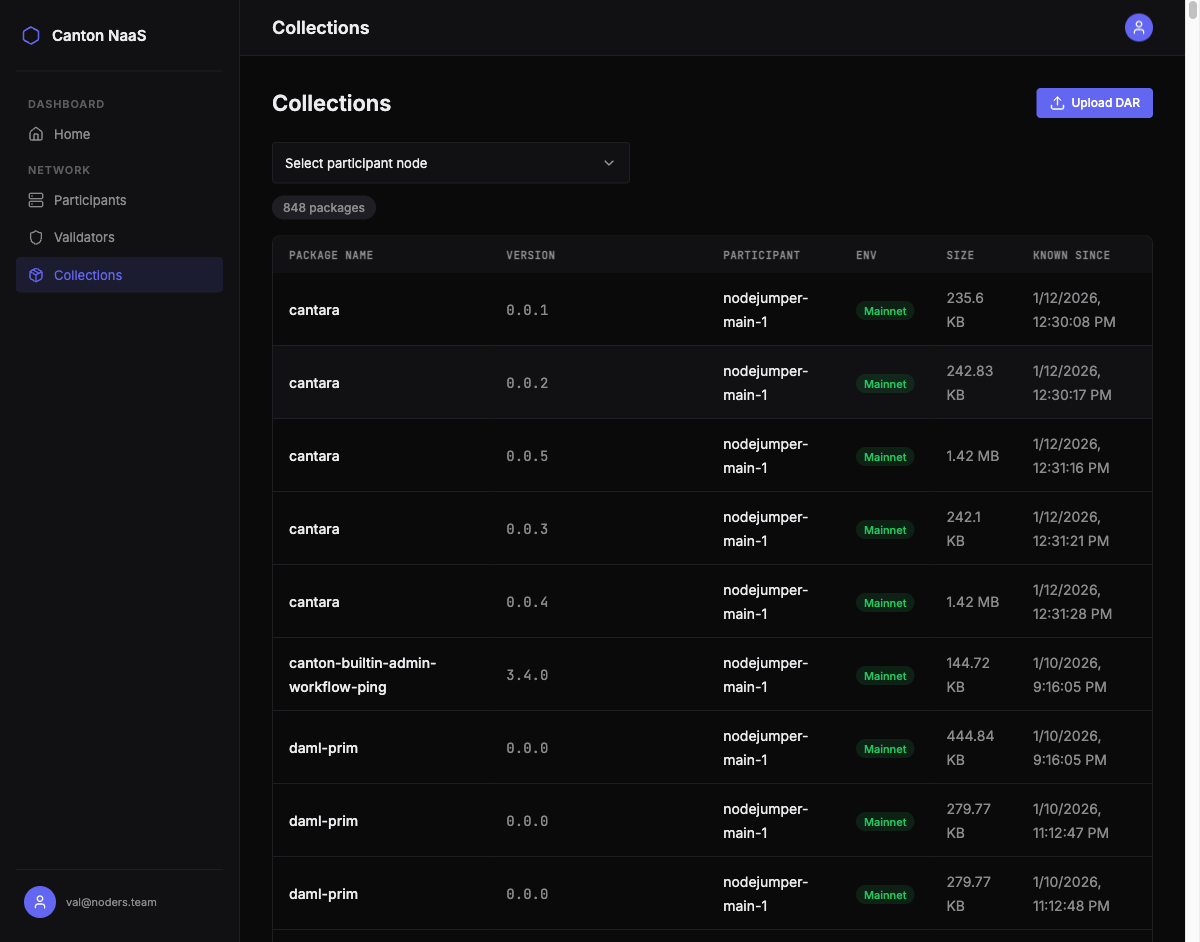
Browsing Deployed Packages
The Collections page lists all packages deployed across your participant nodes. For each package you can see:
| Field | Description |
|---|---|
| Package Name | The name of the Daml package |
| Package ID | Unique identifier (hash) of the package |
| Version | Package version number |
| Size | File size in human-readable format |
| Known Since | When the package was first deployed |
| Participant | Which node the package is deployed on |
| Environment | Network environment (devnet, testnet, mainnet) |
Filtering by Participant
Use the participant filter to show only packages deployed to a specific node. This helps when you have packages spread across multiple nodes and environments.
Deployment Workflow
A typical package deployment follows this path:
graph LR
    D[Build DAR] --> Dev[Upload to Devnet]
    Dev --> Test[Upload to Testnet]
    Test --> Main[Upload to Mainnet]
- Build your Daml application into a DAR file using the Daml SDK
- Deploy to Devnet — test basic functionality
- Deploy to Testnet — validate with realistic network conditions
- Deploy to Mainnet — go live
The Console supports this workflow by letting you upload to any participant node across any environment from a single interface.
Tips
- Version your packages — use semantic versioning in your Daml projects so you can track which version is deployed where
- Test before mainnet — always deploy and validate on devnet or testnet first
- Check package dependencies — ensure all dependent packages are already deployed on the target node before uploading