Managing Nodes
How to monitor and work with your participant and validator nodes.
Table of contents
Participant Nodes
Viewing Your Nodes
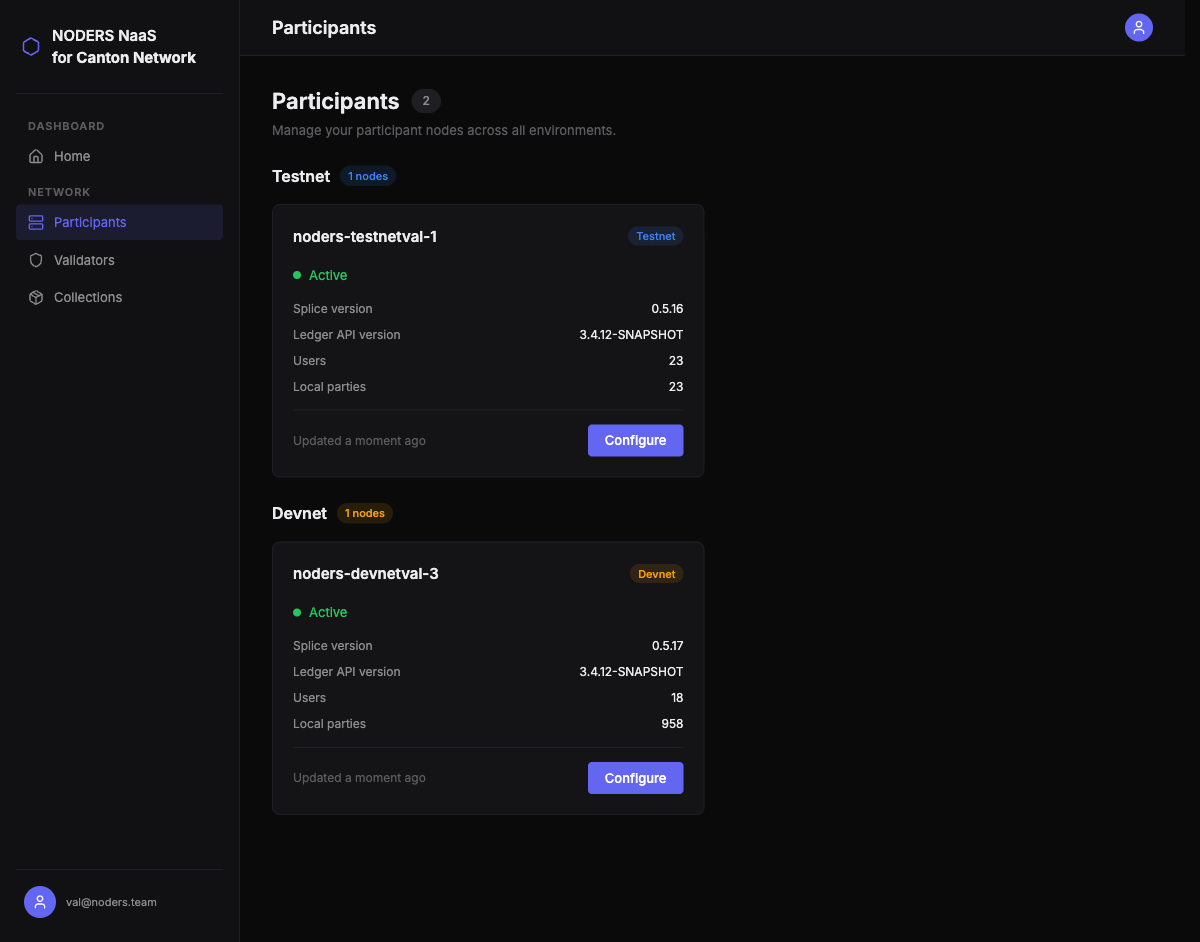
Navigate to Participants in the sidebar. Your participant nodes are displayed as cards, grouped by network environment:
- Devnet — development and testing
- Testnet — pre-production validation
- Mainnet — production
Each card shows the node name, health status, Splice version, Ledger API version, user count, and party count.
Filtering by Environment
Use the environment filter to show only nodes from a specific network. This is useful when you have nodes across multiple environments and want to focus on one.
Node Details
Click on any participant node to see its full configuration:
- Participant Node ID — your node’s unique identifier on the Canton Network
- Ledger gRPC Address — the endpoint your applications use to connect via gRPC
- Ledger HTTP Address — the JSON API endpoint (if enabled)
- Wallet Address — for Canton Coin operations
- CNS Address — Canton Name Service registration
- Admin Address — administrative gRPC endpoint
All addresses include a copy-to-clipboard button for convenience.

Health Status
Node health is checked automatically when you view the node list. Status is displayed as:
- Active (green) — node is healthy and responding
- Inactive (red) — node is not responding to health checks
If a node shows as Inactive, contact the Noders support team for investigation.
Validator Nodes
Viewing Validators
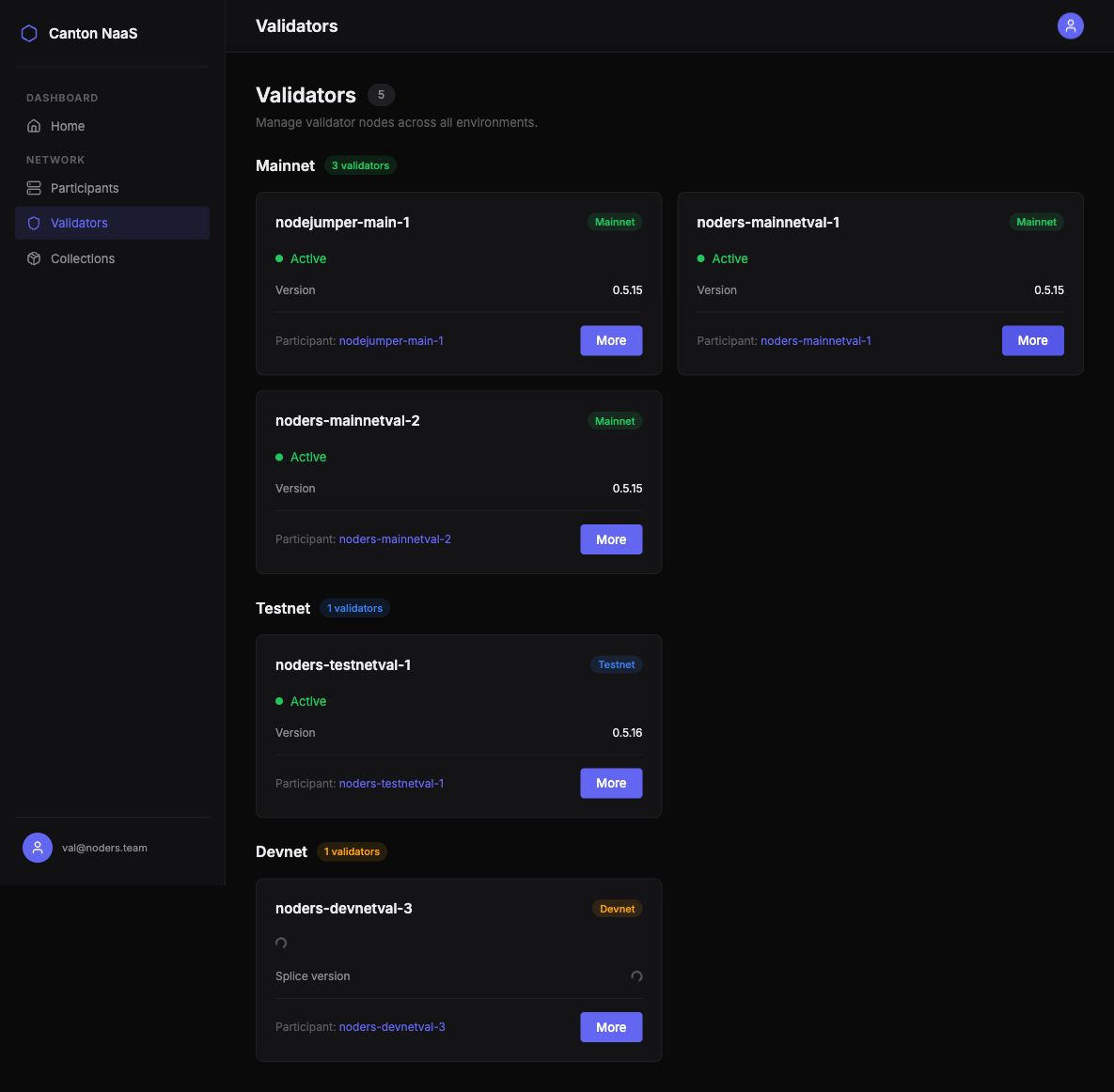
Navigate to Validators in the sidebar. Similar to participants, validators are grouped by environment and show:
- Health status
- Splice version
- Number of connected synchronizers
- Latest ledger transaction information
Validator Details
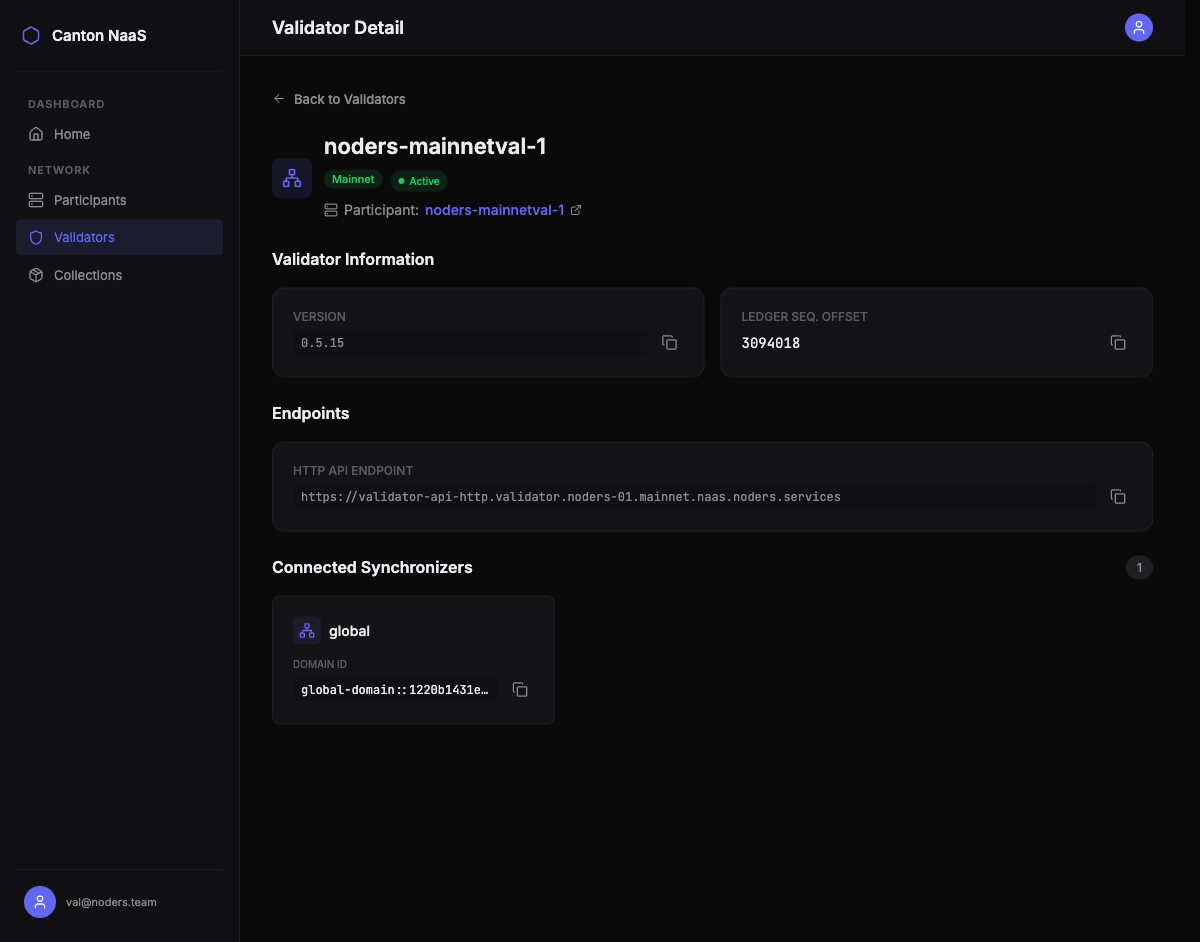
Click on a validator to see:
- Validator Node ID
- Network environment
- Splice and Ledger API versions
- Connected synchronizers — the synchronization domains your validator participates in
- Ledger end — the most recent transaction processed
- Associated participant node — link to the participant node connected to this validator
Understanding Node Relationships
Each validator node is connected to a participant node. The typical setup is:
graph LR
    V[Validator Node] --> P[Participant Node]
    P --> L[Daml Ledger]
    P --> U[Users & Parties]
- The validator ensures transaction validity and consensus
- The participant hosts your parties, users, and applications
- You manage users, parties, and packages through the participant node
- The validator operates mostly autonomously — you monitor its health and version
Multi-Environment Workflow
A typical development workflow uses all three environments:
- Devnet — develop and test your Daml applications
- Testnet — validate with realistic network conditions before going live
- Mainnet — run production workloads
The Console lets you manage all environments from a single interface, with clear visual indicators so you always know which network you’re operating on.