Features
A complete overview of what the NODERS NaaS Console for Canton Network offers.
Table of contents
Dashboard & Monitoring
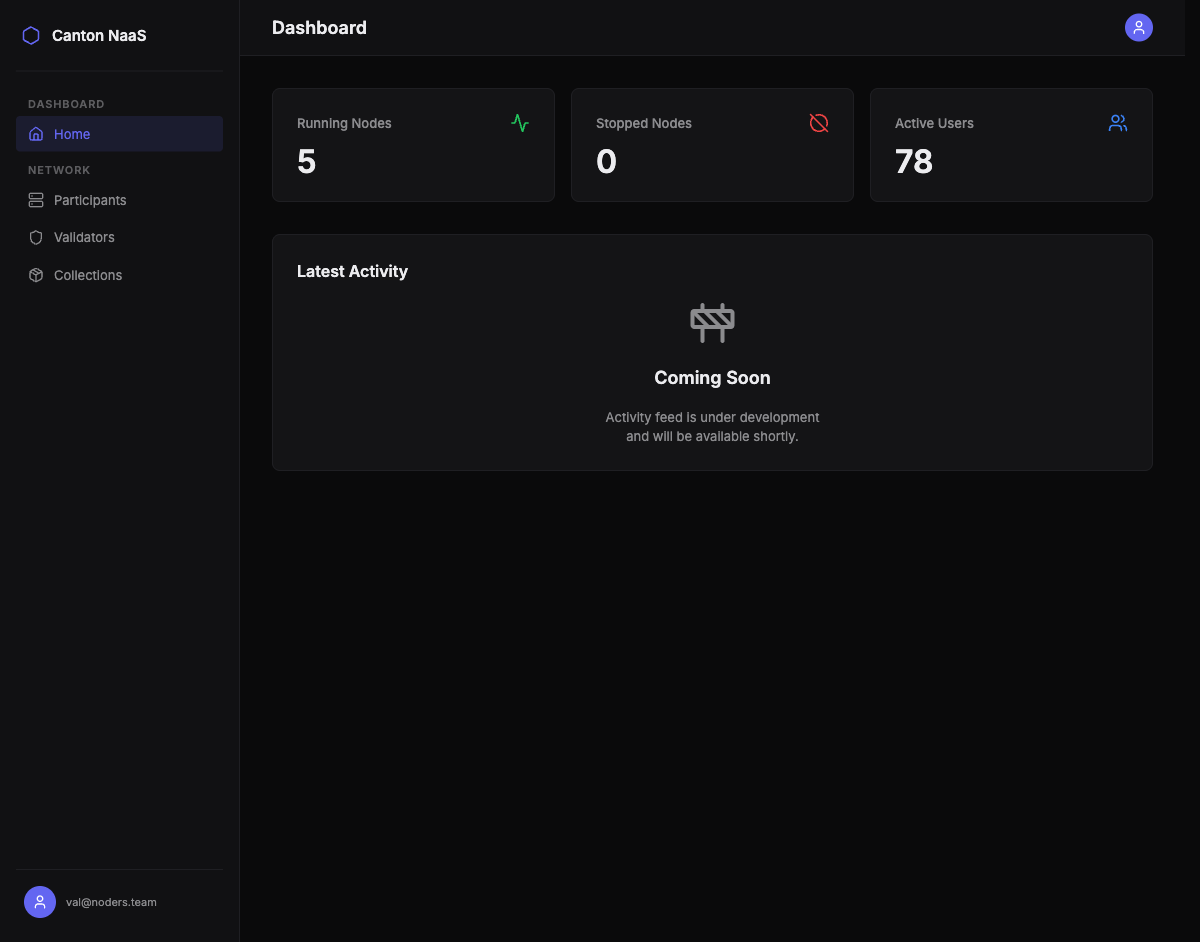
The dashboard is your starting point. It provides an at-a-glance view of your entire Canton Network infrastructure.
Key metrics displayed:
- Running Nodes — number of healthy participant and validator nodes
- Stopped Nodes — nodes that are currently unreachable or inactive
- Active Users — total ledger users across all your participant nodes
Health checks run automatically in the background. Node status badges update in real time, so you always know if something needs attention.
Participant Node Management
Participant nodes are the core of your Canton Network presence — they host your Daml parties, submit transactions, and read ledger state.
Node Overview
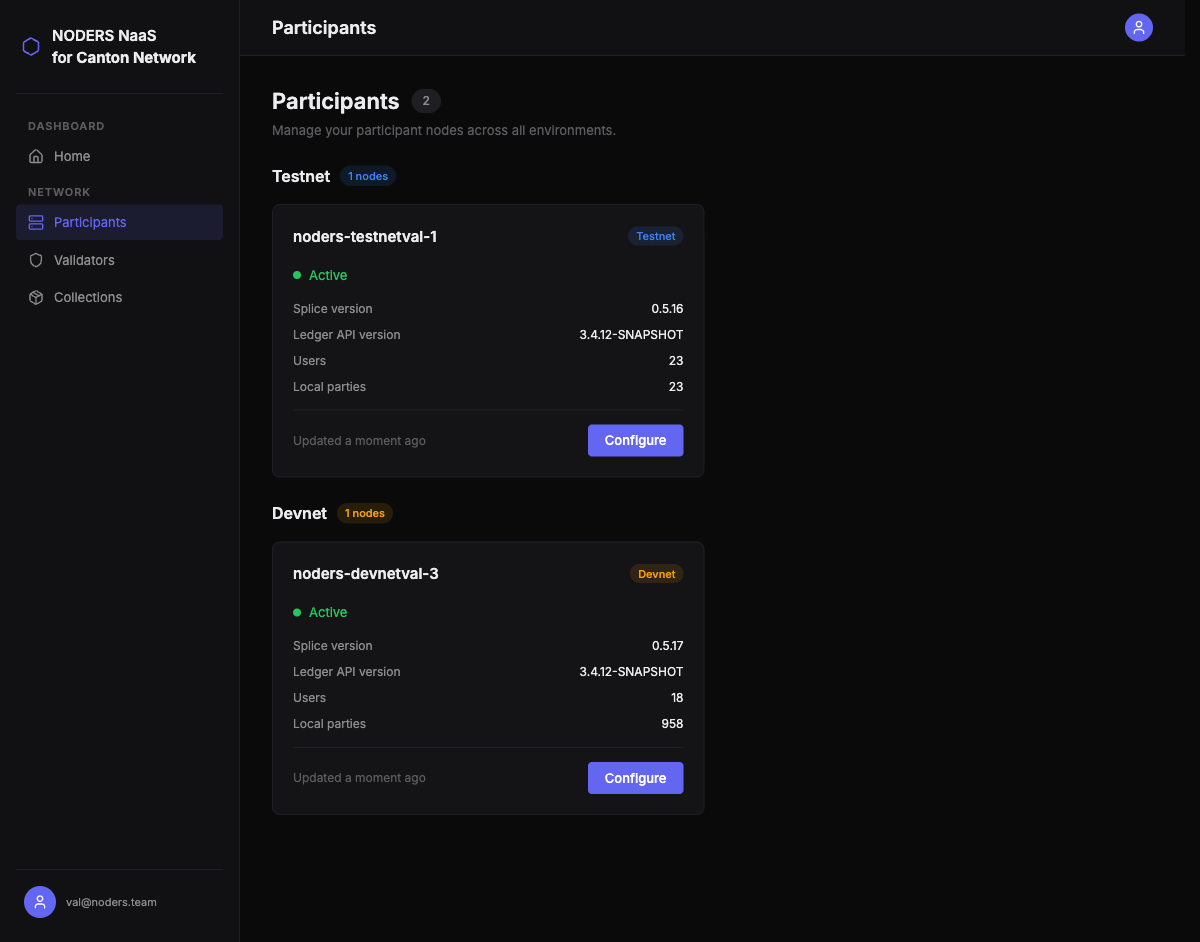
All your participant nodes are listed in a single view, grouped by network environment (devnet, testnet, mainnet). For each node you can see:
- Node health status (Active / Inactive)
- Splice version and Ledger API version
- Number of users and local parties
- Last updated timestamp
Node Details
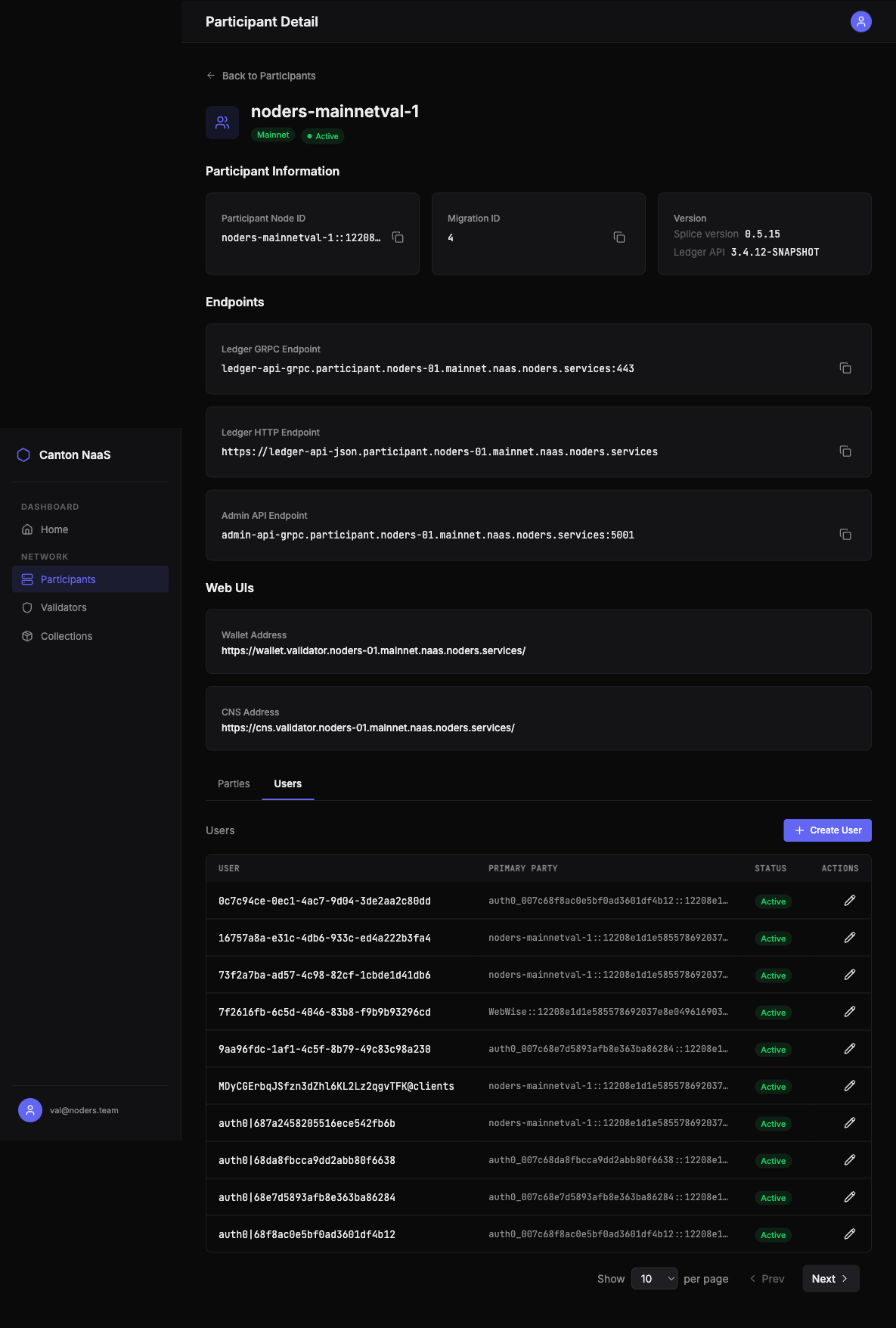
Drill into any participant node to see its full configuration:
- Participant Node ID — unique identifier on the Canton Network
- Ledger gRPC address — endpoint for programmatic access
- Ledger HTTP address — JSON API endpoint (if configured)
- Wallet address — for Canton Coin operations
- Canton Name Service address — CNS registration
- Admin address — administrative endpoint
- Network environment — devnet, testnet, or mainnet

Party Management
Parties are the fundamental identity concept in Daml — every transaction is authorized by one or more parties.
Allocate New Parties
Create new parties directly from the Console. Provide a hint (display name prefix) and the system generates the full party identifier.
Browse Parties
View all known parties on a participant node:
- Local parties — parties allocated on this node
- Remote parties — parties visible through the network
- Party ID and display name for each entry
- Paginated list for nodes with many parties
User Management
Ledger users define who can interact with your participant node and what they can do. The Console provides full user lifecycle management.
Create Users
Create new ledger users with:
- User ID
- Primary party assignment
- Initial rights — CanActAs and/or CanReadAs on specific parties
View & Edit Users
See all users on a participant node with their:
- User ID and primary party
- Active/inactive status
- Current rights assignments
Edit user properties inline or deactivate users without deleting them.
Rights Management
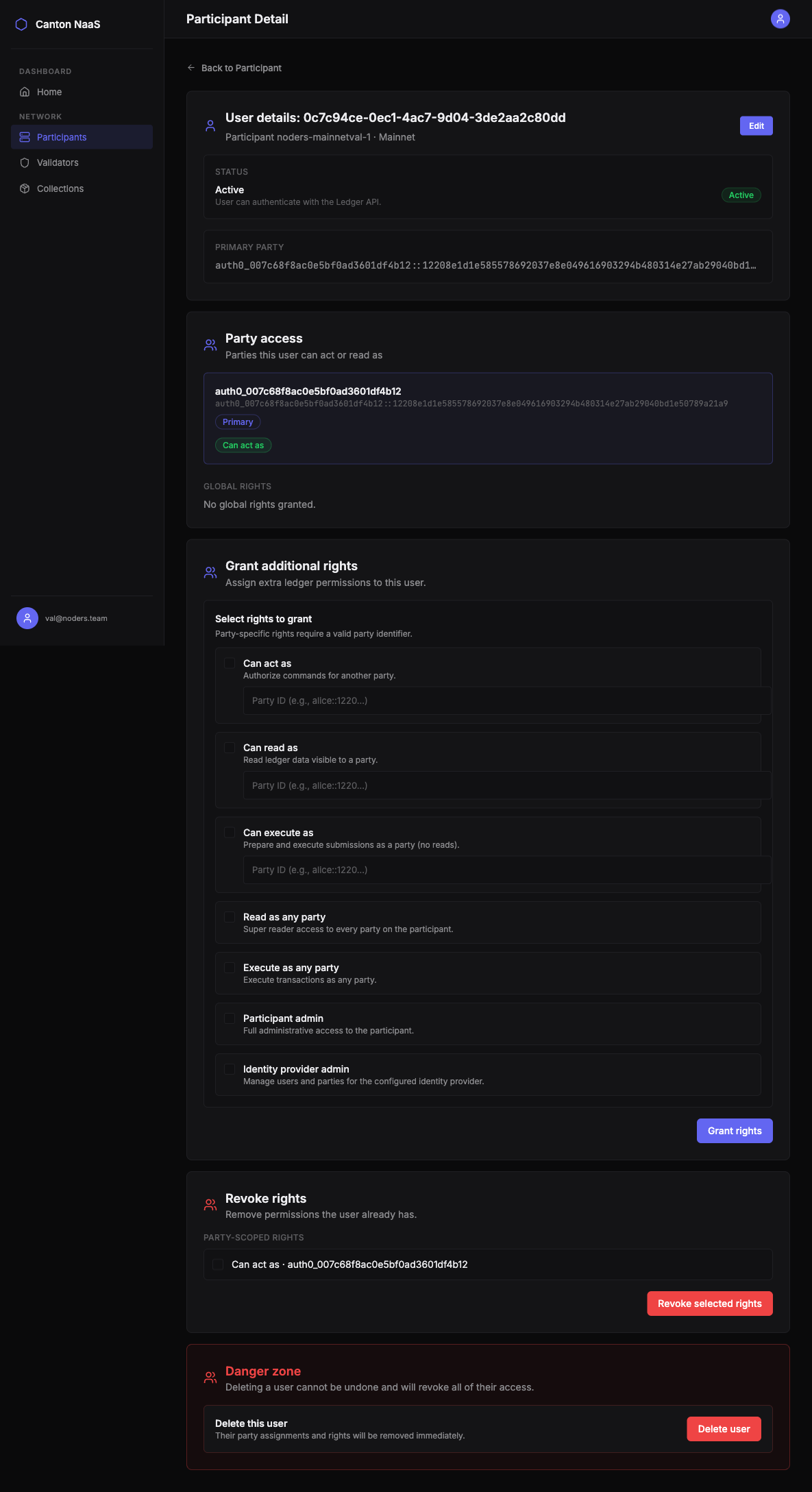
Fine-grained access control for each user:
- Grant CanActAs — allow a user to submit transactions as a specific party
- Grant CanReadAs — allow a user to read ledger data for a specific party
- Revoke rights — remove specific rights without affecting others
Rights changes take effect immediately on the ledger.
Delete Users
Remove users entirely when they are no longer needed. This action is irreversible.
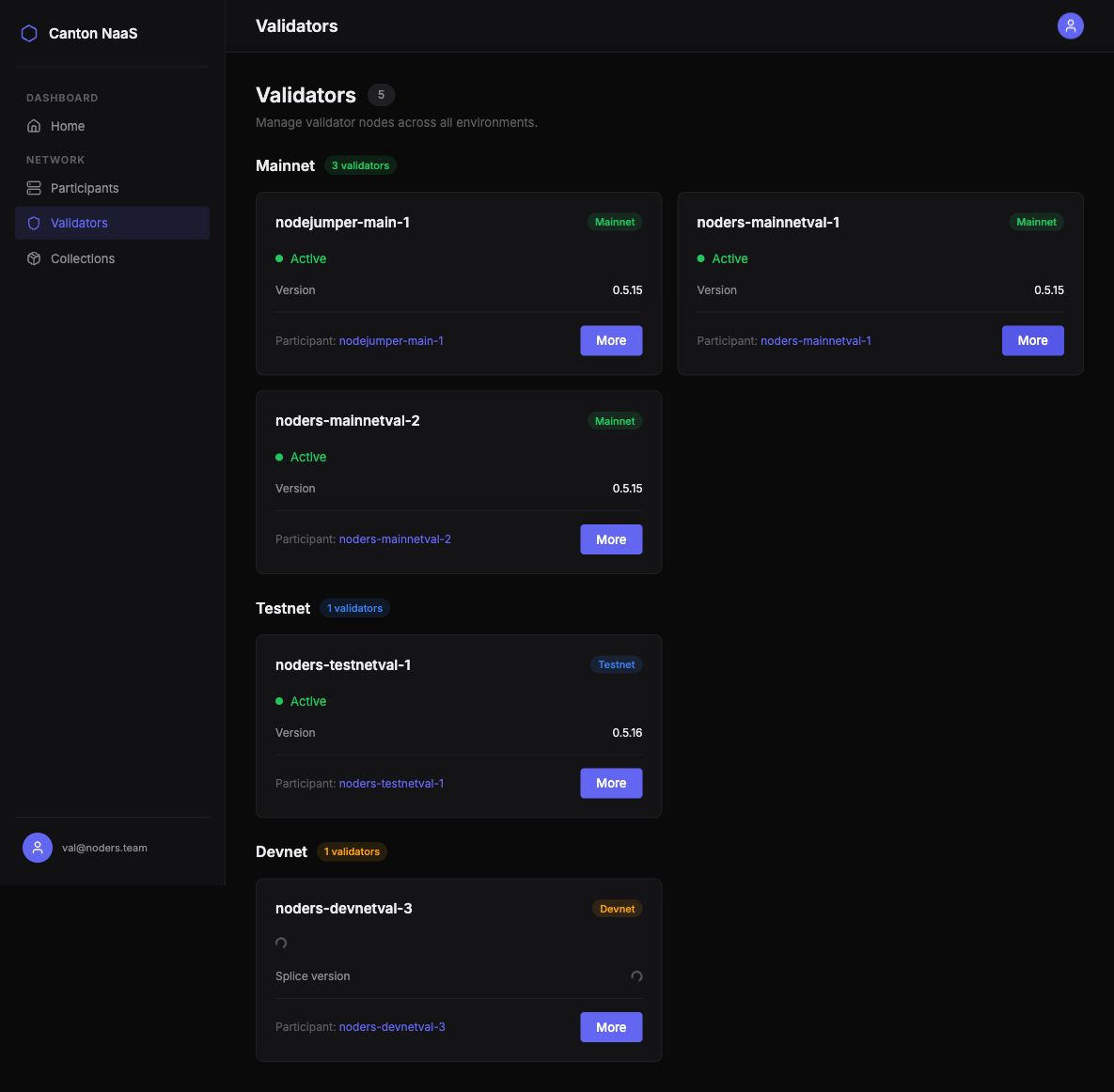
Validator Node Monitoring
Validators ensure the integrity of the Canton Network by validating transactions and maintaining consensus.
Validator Overview
View all your validator nodes grouped by environment, with:
- Health status (Active / Inactive)
- Splice version
- Connected synchronizers count
- Latest ledger transaction information
Validator Details
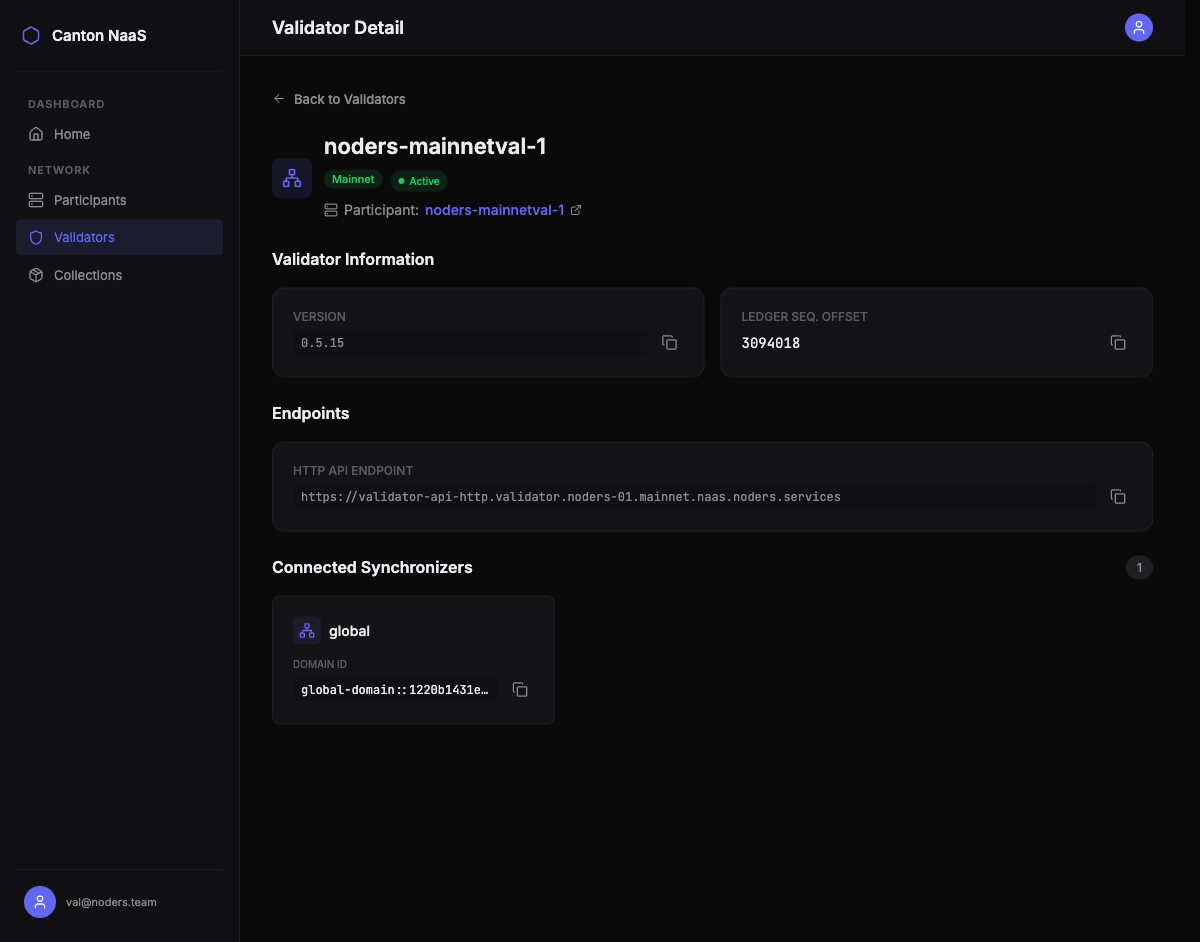
For each validator, inspect:
- Validator Node ID
- Network environment
- Splice version and Ledger API version
- Connected synchronizers — which sync domains the validator participates in
- Ledger end — the latest processed transaction
- Link to associated participant node
Package Management (Collections)
Daml applications are distributed as DAR (Daml Archive) files. The Console lets you deploy and track packages across your participant nodes.
Upload DAR Files
Deploy new Daml packages:
- Select the target participant node
- Upload a
.darfile - The system validates and deploys the package
- Success or error notification displayed immediately
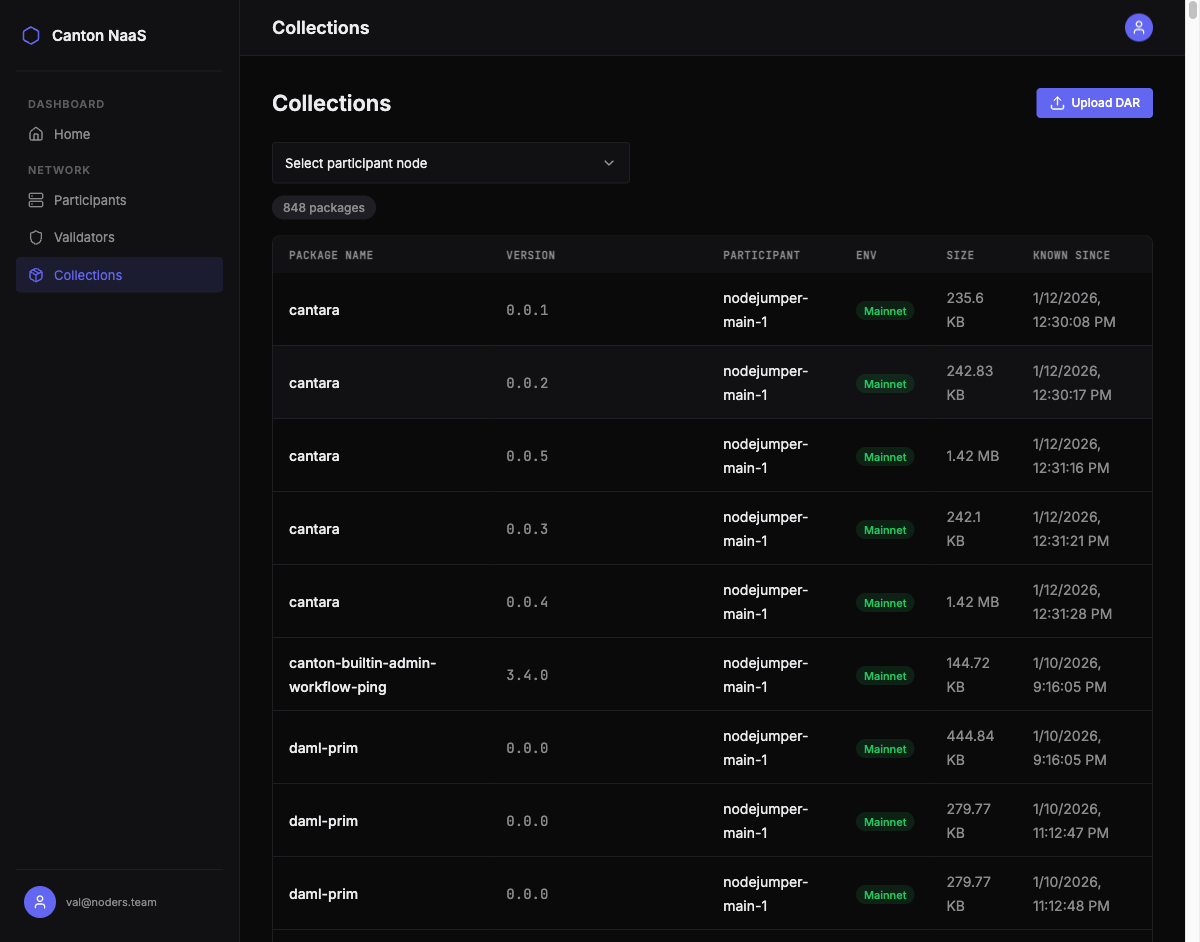
Browse Deployed Packages
View all packages deployed across your nodes:
- Package ID, name, and version
- File size
- Deployment date (known since)
- Target participant node and environment
- Filter by participant node
Multi-Environment Support
The Console supports three network environments, each visually distinguished:
| Environment | Purpose | Badge Color |
|---|---|---|
| Devnet | Development and experimentation | — |
| Testnet | Pre-production validation | — |
| Mainnet | Production operations | — |
All features work identically across environments. Nodes are grouped by environment throughout the interface, so you always know which network you’re operating on.
Access Control
Invite-Based Registration
Access to the Console is controlled through invite codes:
- An administrator generates an invite code for a specific email address
- The invite is valid for 72 hours
- The recipient registers using the invite link
- One-time use — each invite works for a single registration
Session-Based Authentication
After registration, users authenticate with email and password. Sessions are managed securely with an optional “Remember Me” feature for convenience.
Background Synchronization
The Console automatically keeps your data fresh:
- Party sync — local party data is synchronized from all participant nodes every 30 minutes
- Token management — OAuth 2.0 tokens are cached and refreshed automatically, so API calls to your nodes are always authenticated
- Health checks — node health is verified on-demand when you view your nodes
No manual refresh needed — the Console always shows current data.